AI Agents
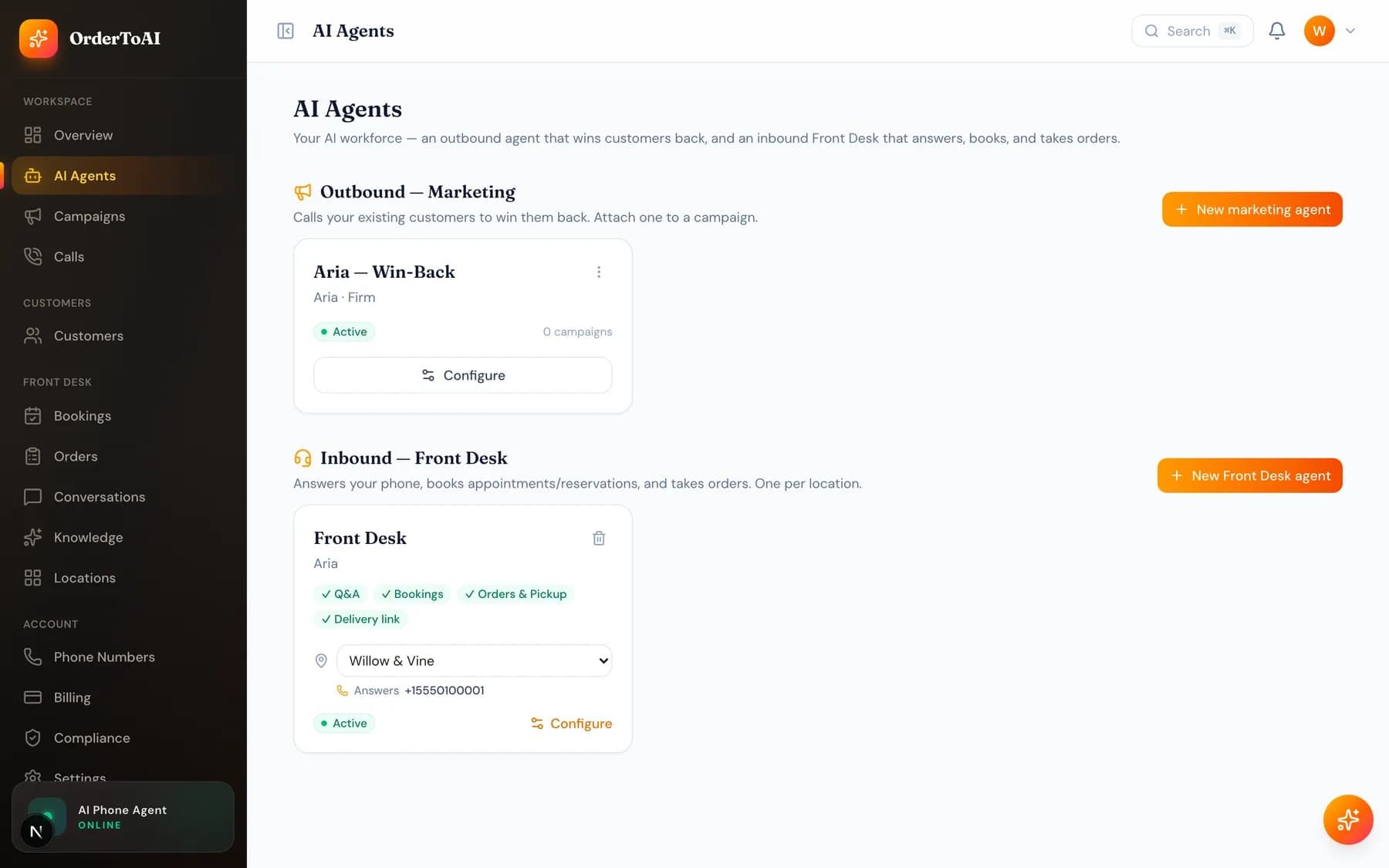
All plansAI Agents is where you decide how your AI sounds and what it is allowed to do. The page lists two kinds of worker. Outbound marketing agents phone your existing customers to win them back, and are attached to campaigns. Inbound Front Desk agents answer your phone, book appointments, and take orders, with one agent per location. Opening an agent gives you a tabbed editor covering its name and status, its voice and language, its opening line and personality, the skills it may use on a call, and its conversation timing. Almost everything saves together with the single Save changes button, with one deliberate exception: linking knowledge sources applies instantly. Outbound and inbound agents show different tabs, because a marketing caller needs model and upsell settings that a receptionist does not, and a receptionist needs skills that an outbound caller must never have.
The two kinds of agent
An outbound marketing agent is the voice of a win-back campaign. You attach it to a campaign, and it calls the customers in that campaign. You can have several, for example a warm win-back voice and a brisker reminder voice, and only agents set to Active appear in the campaign builder.
An inbound Front Desk agent answers calls to one of your numbers. Each location gets its own, so a caller to your second store hears that store's agent with that store's knowledge, hours, and menu. Front Desk agents are only available on the Front Desk plan; on Win-Back the section shows an upgrade link instead.
The agent editor, tab by tab
| Tab | What you set there |
|---|---|
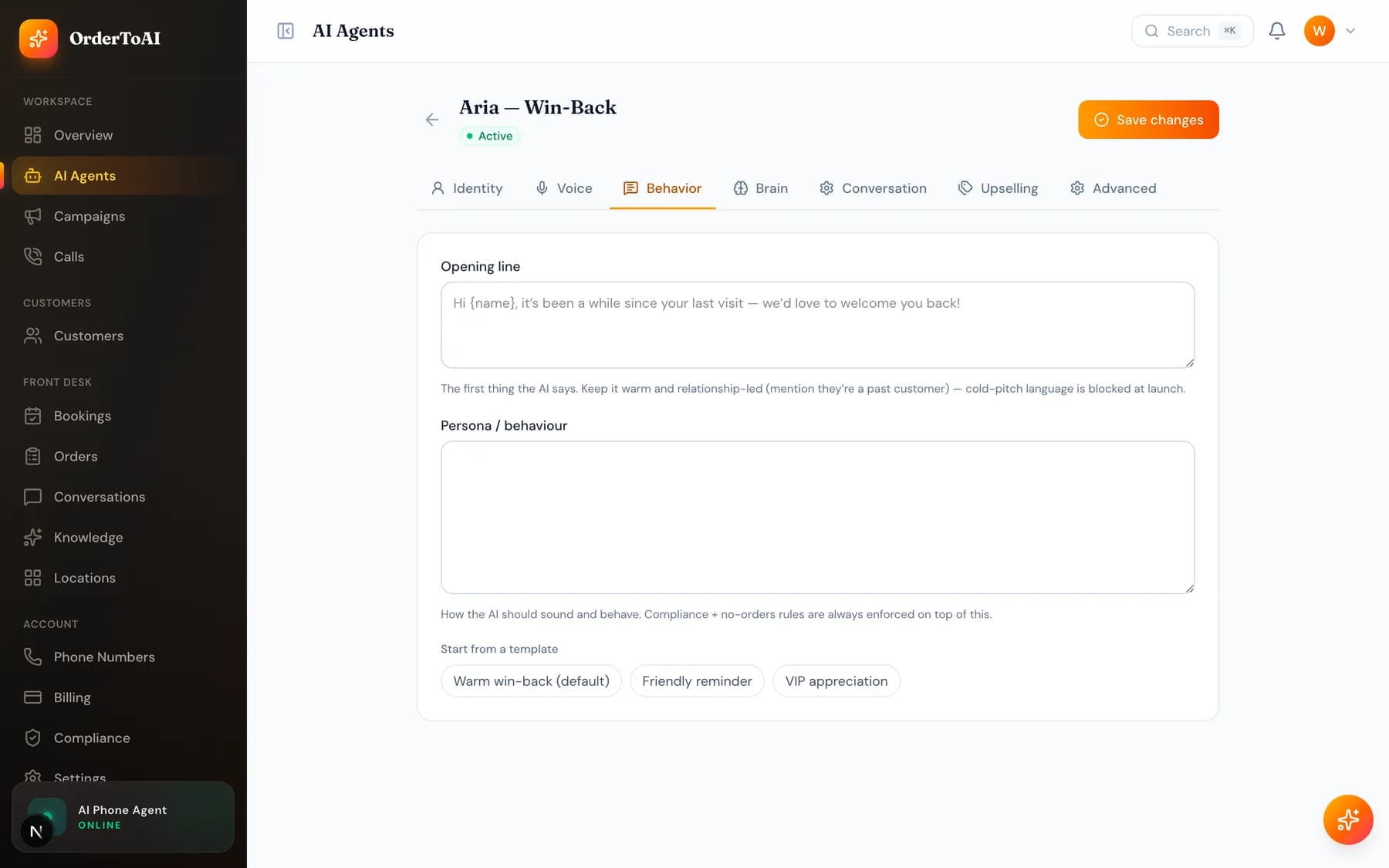
| Identity | The internal agent name (shown only to you), the spoken name the AI introduces itself as, and the status. Only Active agents are used on real calls. |
| Voice | The voice and the language or accent. Thirty built-in voices, filterable by vibe and gender, with six marked recommended. You can call the agent from your browser here to hear it. |
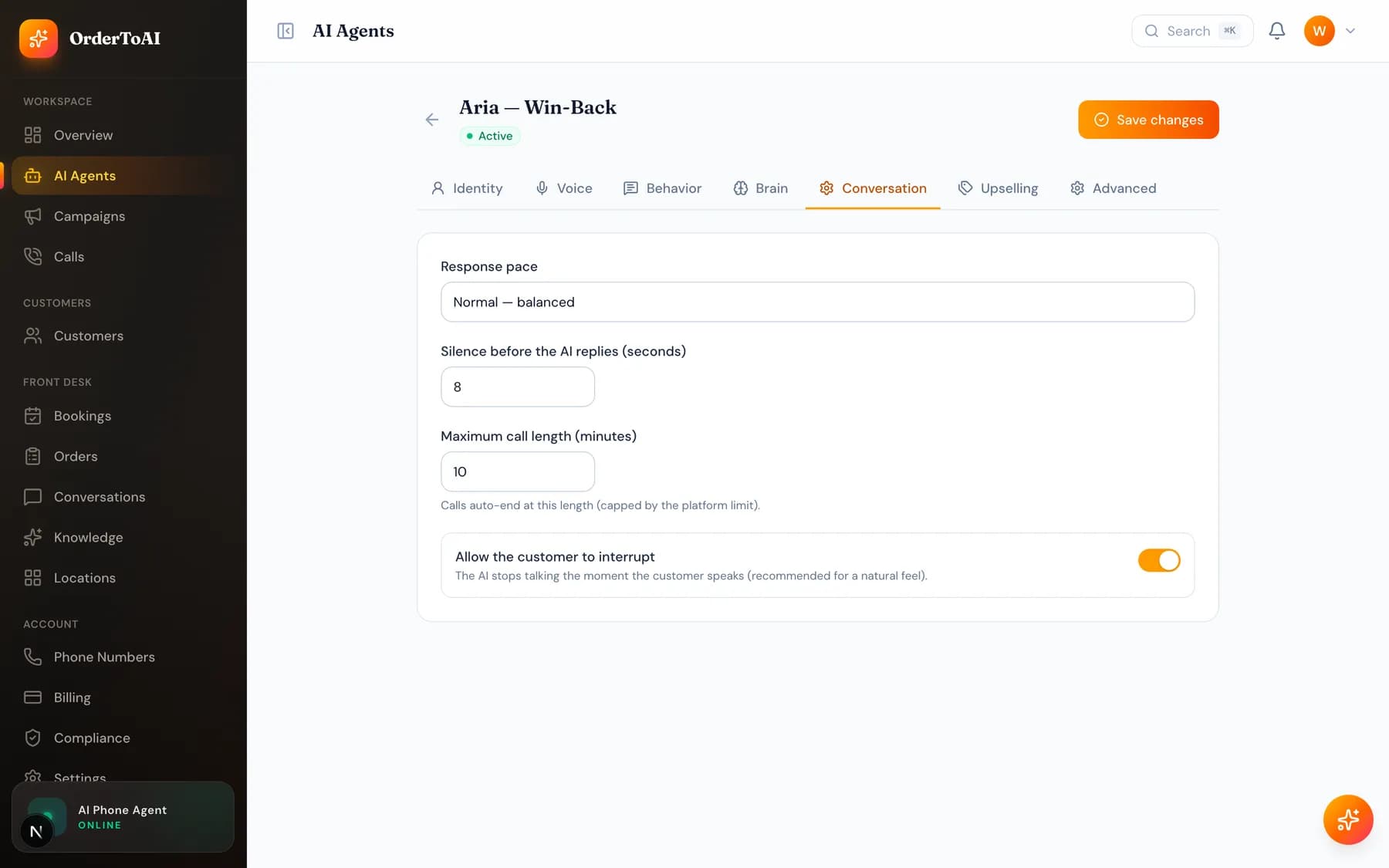
| Behavior | The opening line and the persona. A live compliance check reads your opening line as you type and warns before a risky line ever reaches a customer. Templates replace the whole persona box, so copy anything you want to keep first. |
| Brain (outbound only) | Reasoning model, creativity, maximum response length, and an optional fallback model. Lower creativity keeps the AI on script; higher makes it more varied. |
| Skills (Front Desk only) | Which jobs the AI may do on a call: answering questions, booking or reserving, taking pickup orders, and texting links. Also the list of links it is allowed to send. |
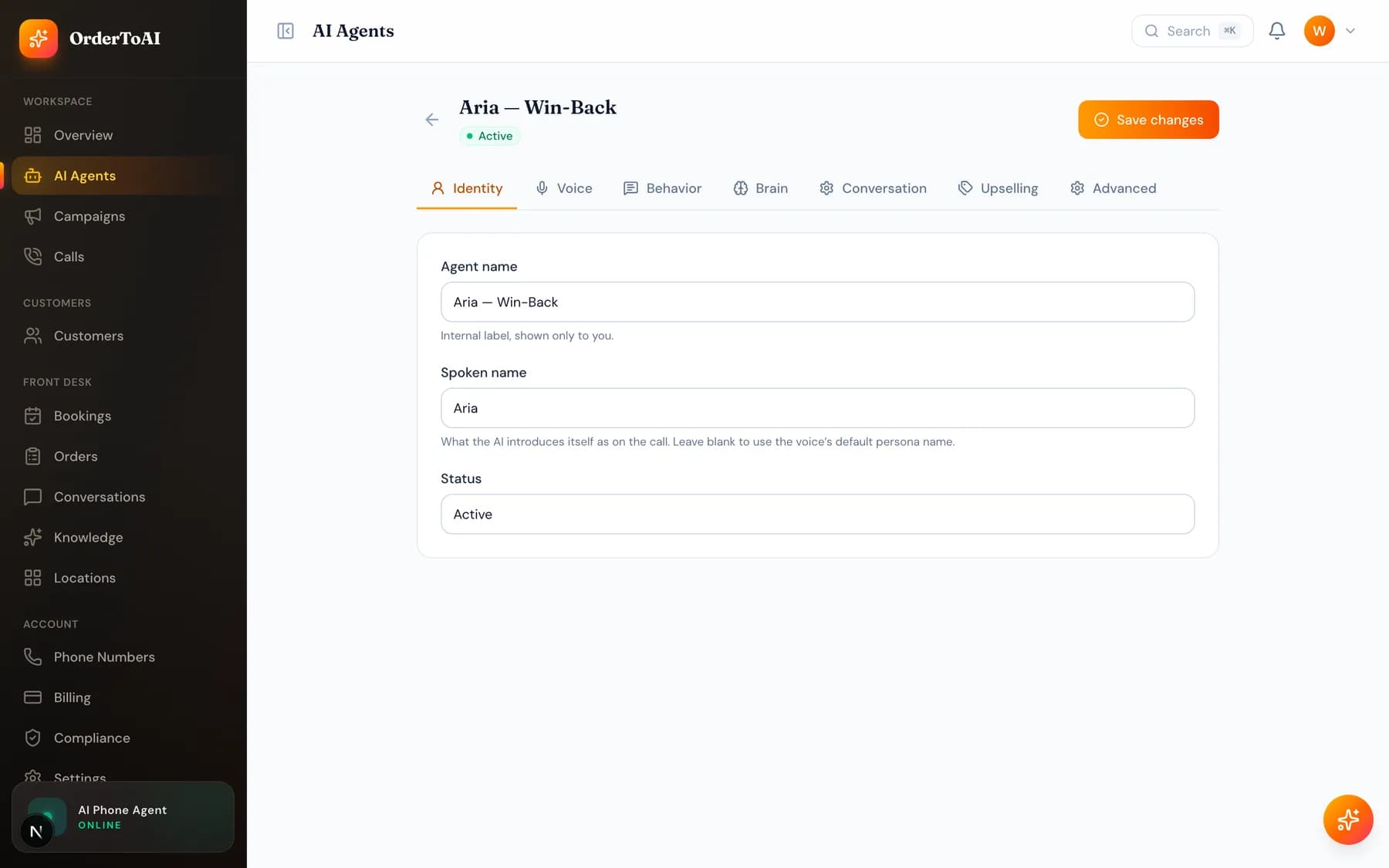
| Conversation | Turn taking and length: response pace, how long it waits in silence before replying, maximum call length, and whether the caller can interrupt it. |
| Knowledge | Links specific knowledge sources to this agent. Hidden when the agent is set to use all your knowledge, which is the default for agents created at signup. |
| Upselling (outbound only) | Optional add-ons the AI may mention naturally if the moment fits. Rows left blank are dropped when you save. |
| Advanced | Additional languages the AI may follow if a customer switches, plus the recording notice. Calls are transcript-only and audio is never stored. |
Common jobs
- 1
Change how your AI sounds
Open the agent, go to Voice, filter by vibe or gender, and select a card. Use the browser call to hear it before saving, then press Save changes.
- 2
Rewrite the greeting
Go to Behavior and edit the opening line. Wait for the compliance check underneath to go green, then save. The change applies on the very next call.
- 3
Turn a Front Desk skill on or off
Open your Front Desk agent, go to Skills, and toggle the job. Answering questions is always on. Booking, orders, and texting links can each be turned off if you would rather handle them yourself.
- 4
Make the AI less chatty on long calls
Go to Conversation and lower the maximum call length, or set the response pace to Eager so it moves the conversation along faster.
Questions
- What is the difference between the agent name and the spoken name?
- The agent name is an internal label you use to tell agents apart in your own dashboard, and no customer ever hears it. The spoken name is what the AI introduces itself as on the call. Leaving the spoken name blank makes it use the persona name of the voice you chose.
- Why does my Front Desk agent have no Brain tab?
- Because model tuning belongs to outbound campaign calling, where you are shaping a sales conversation. A Front Desk agent instead gets a Skills tab in that position, which controls what it is allowed to do on an inbound call. The two roles deliberately expose different settings.
- Do I need a separate agent for each location?
- For inbound, yes: each location gets its own Front Desk agent so callers hear that store's details, and the create dialog only offers locations that do not have one yet. Outbound marketing agents are account wide and are chosen per campaign instead.
- Why is my agent not being used on calls?
- Check its status on the Identity tab. Only agents set to Active are used. A Draft or Paused outbound agent will not appear in the campaign builder, and calls fall back to the default persona rather than failing.
- Does OrderToAI record my calls?
- No. Calls are transcript-only and no audio is stored, which the Advanced tab states directly. You get the full written conversation on the Calls page, which is searchable in a way audio never is.
Next steps
Knowledge
What your AI knows, where that knowledge comes from, and how to add hours, services, prices, and answers so it stops saying it does not know.
Calls
Every call your AI made or answered, with full transcripts, outcomes, and the filters that turn a call log into something you can actually learn from.
How the AI answers a call
What actually happens when your AI picks up: where its answers come from, what it is allowed to do, when it transfers to a person, and what it will never do.
Hear it on your own business
Reading about it only goes so far. The demo calls you and answers as your business, using your real Google profile, before you create an account.
Start free trial