Knowledge
Front DeskKnowledge is everything your AI is allowed to say about your business. It starts populated from your Google profile at signup, covering your hours, services, address, and reviews, and you extend it with anything else customers ask about: prices, policies, parking, which brands you service, what you do not do. The rule that makes this page matter is that the AI answers from your knowledge and does not invent beyond it. That is deliberate, because a confident wrong answer costs you more than an honest "let me take a message". So when the AI fumbles a question, the fix is almost never a setting; it is adding that answer here in the words you would use yourself. Changes take effect on the very next call, with no retraining or waiting.
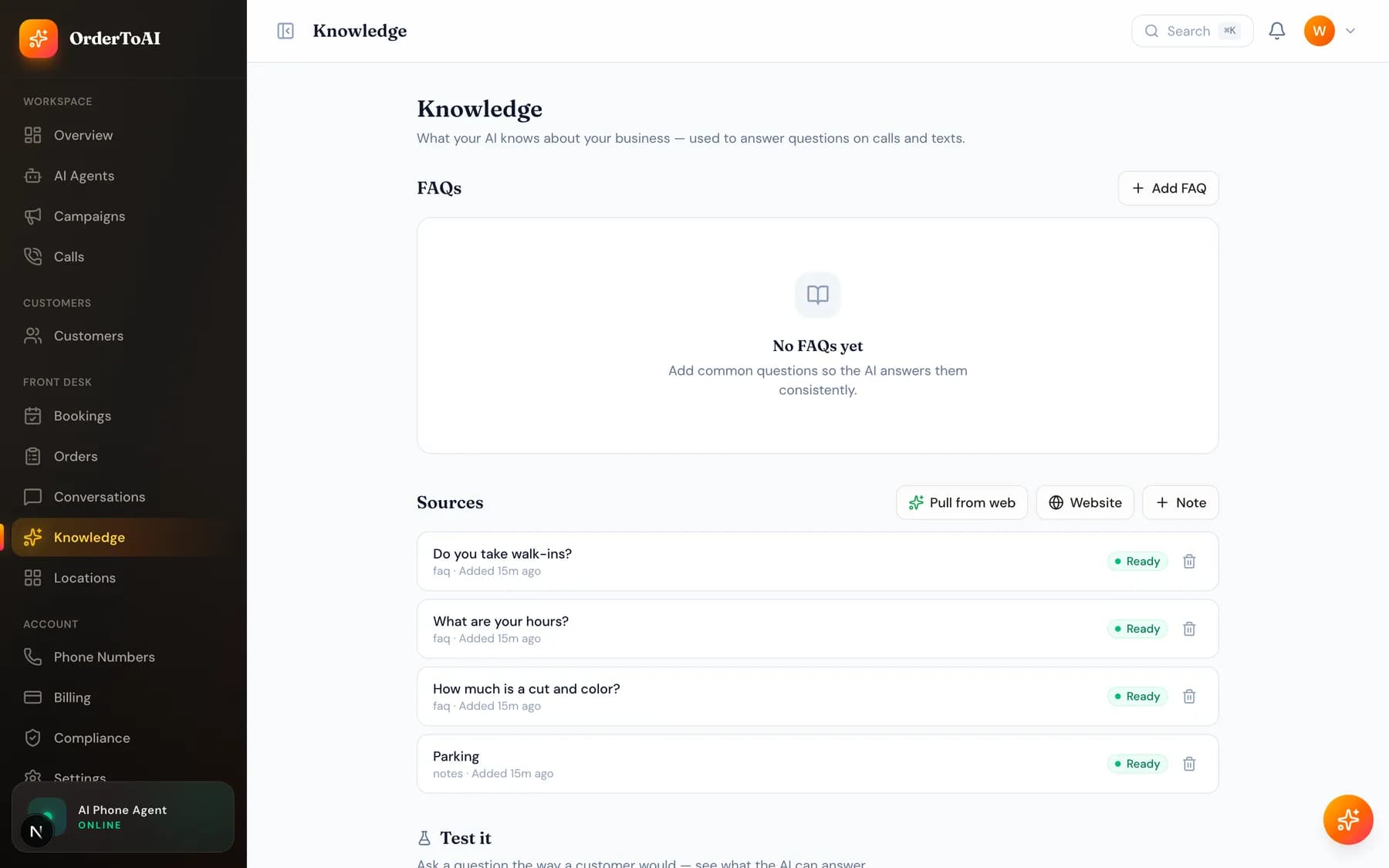
Ways to add knowledge
| Method | When to use it |
|---|---|
| Pull from web | Re-reads your public business profile and website to refresh what the AI knows. The fastest way to top up after your details change. |
| Add a website | Points the AI at a page to learn from, such as your services or about page. Useful when the detail lives on your site rather than your listing. |
| Add FAQ | A question and its answer, in your own words. This is the highest value format, because it matches how callers actually ask. |
| Add a note | Free text for anything that is not a neat question, such as parking instructions or what you do not offer. |
| Re-sync a source | Refreshes one source you added earlier, so a page you already linked picks up its latest content. |
Knowledge is per location
If you run more than one location, each has its own knowledge, so a caller to your second store hears that store's hours and details rather than a blended answer. Knowledge added at the account level is available everywhere.
Linking knowledge to a specific agent
By default an agent uses all of your knowledge, which is what you want in almost every case. If you deliberately want an agent restricted to particular sources, the agent editor has a Knowledge tab where sources can be linked and unlinked, and those changes apply instantly rather than waiting for a save.
Questions
- Why does my AI say it does not know something?
- Because that answer is not in your knowledge, and the AI is built to admit a gap rather than guess. Add the answer on this page in your own words and it will handle the question from the next call onwards. Reading call transcripts is the fastest way to find which gaps are actually costing you.
- How quickly do knowledge changes take effect?
- Immediately, on the next call. There is no retraining step, no publishing step, and no waiting period, so you can correct a wrong answer in the gap between two customer calls and the very next caller hears the corrected version.
- Can the AI make things up about my business?
- It is built specifically not to. It answers from the knowledge you approved and declines what it was never told, offering to take a message or transfer instead. This is why keeping your knowledge accurate matters more than any other configuration.
- My hours changed. Where do I update them?
- On this page, and for a specific location on that location's knowledge. The AI uses your hours to decide what to tell callers about when you are open and when it should take a message instead of booking.
Next steps
AI Agents
The full reference for the AI Agents page and the agent editor: identity, voice, behavior, brain, skills, conversation timing, knowledge, upselling, and advanced.
Locations
How multiple stores work: a number, agent, knowledge, hours, and menu per location, with one dashboard and a switcher that filters everything.
Calls
Every call your AI made or answered, with full transcripts, outcomes, and the filters that turn a call log into something you can actually learn from.
Hear it on your own business
Reading about it only goes so far. The demo calls you and answers as your business, using your real Google profile, before you create an account.
Start free trial