Tables and floor plan
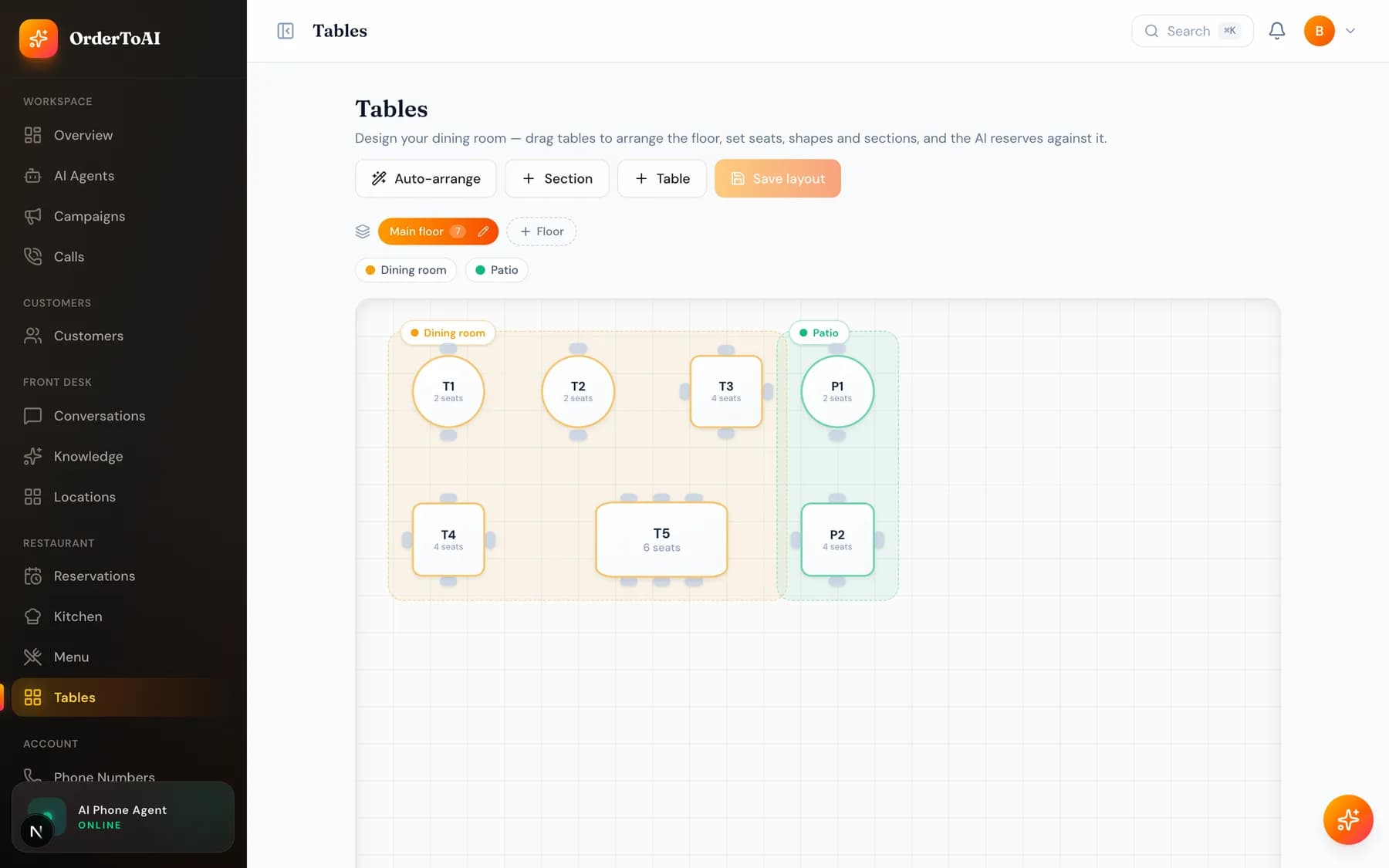
RestaurantsTables is where you describe your dining room so the AI can seat people properly. You lay out tables with their capacities, group them into floors for your own organisation, and mark sections such as the patio or the bar. The distinction that matters is between floors and sections. Floors are how you organise the plan visually; sections are the vocabulary the AI uses with guests. If a guest can ask for it, it should be a section, because the AI seats across every floor automatically and reasons about guest requests in terms of sections only. With the plan in place, the AI can hold a real table for a real party size instead of taking a booking your room cannot actually honour, which is what keeps reservations trustworthy on a busy Friday.
Questions
- What is the difference between a floor and a section?
- A floor is how you organise your plan in the dashboard, such as upstairs and downstairs. A section is a named area guests can ask for, such as the patio or the bar. The AI seats across all floors automatically and only understands guest requests in terms of sections.
- Do I have to build a floor plan to take reservations?
- You need tables with capacities for the AI to hold a real table. A floor plan layout makes that easier to manage and to read at a glance, and multi floor rooms are supported with an auto arrange option.
- How does the AI decide which table to give a party?
- It matches the party size to a table with the right capacity that is free at that time, honouring any section the guest requested. Because the table is held as part of taking the booking, the same table cannot be given to another party.
- Can I rearrange the plan on a phone?
- The builder is designed for a larger screen, and there is a list view for smaller ones so you can still check and adjust tables from a phone during service.
Next steps
Reservations
How the AI takes table reservations by phone, seats parties against your floor plan without double booking, and confirms bookings the day before.
Locations
How multiple stores work: a number, agent, knowledge, hours, and menu per location, with one dashboard and a switcher that filters everything.
Hear it on your own business
Reading about it only goes so far. The demo calls you and answers as your business, using your real Google profile, before you create an account.
Start free trial