Your first call
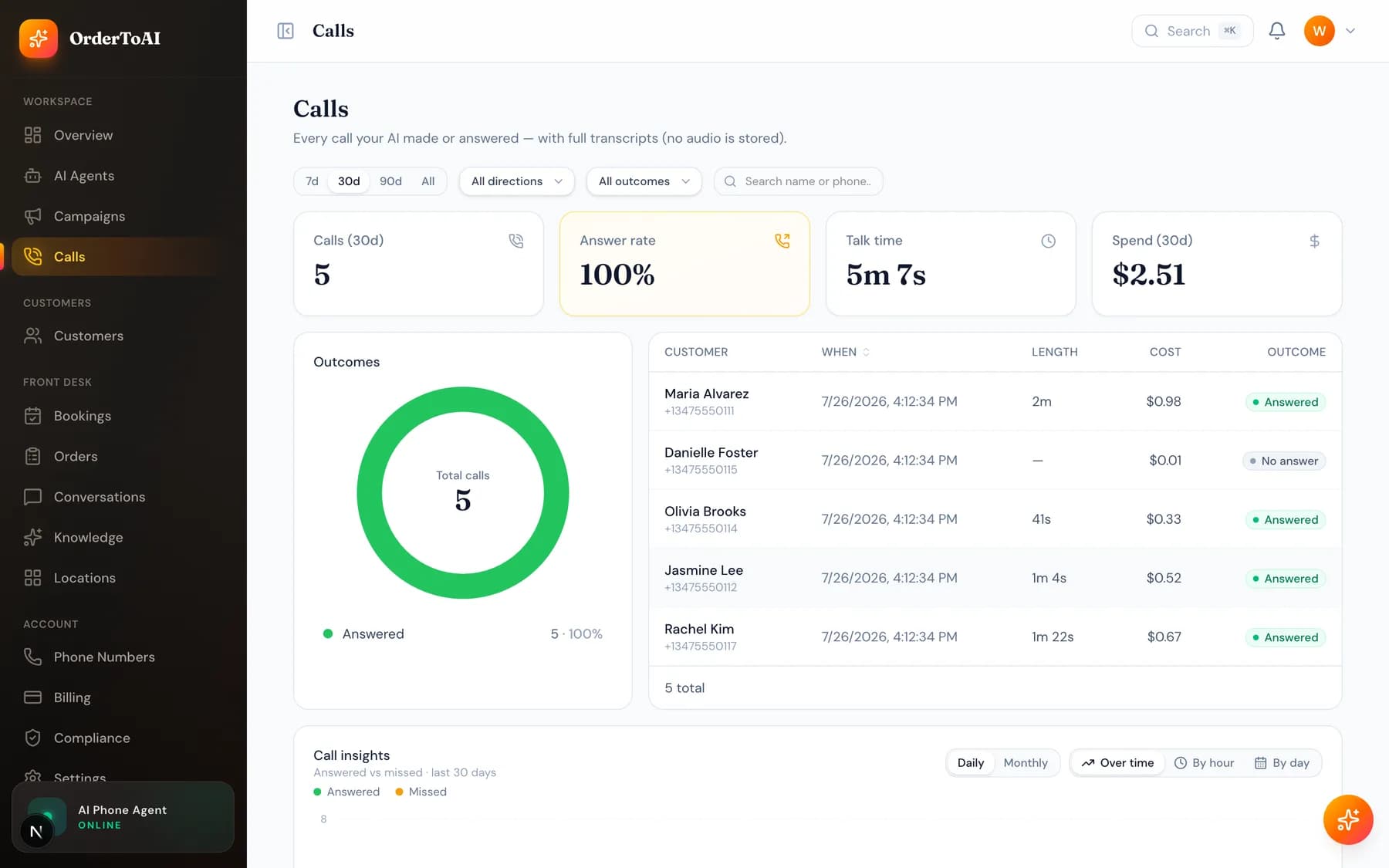
All plansTest your AI by calling your OrderToAI number from your own mobile before you forward your business line. You will hear exactly what a customer hears: the greeting in your business name, answers drawn from the knowledge you approved, and an offer to book if booking is turned on. Try the awkward things on purpose. Ask a price, ask something you never told it, interrupt it mid sentence, and ask for a human. The last two matter most, because a good assistant recovers from interruptions and hands off without arguing. When you hang up, the call appears in your dashboard within a few seconds with a full transcript and summary. Read it, find anything it answered thinly, and fix that in your knowledge. Two or three rounds of this is usually the difference between an assistant that is adequate and one your customers compliment.
How to run a good test call
- 1
Call your OrderToAI number directly
Use your own mobile, not your business line. Your business line is not forwarded yet at this stage, so calling it would just ring your own handset.
- 2
Ask what a real customer asks
Your hours today, what something costs, whether you can fit them in tomorrow afternoon. These are the calls that make up most of your day, so they are the ones worth testing.
- 3
Try to trip it up
Ask about something you never told it. A well configured assistant says it does not know and offers to take a message or transfer you, rather than inventing an answer.
- 4
Ask for a human
Say "can I speak to someone". The AI should transfer to your contact number without pushing back. This is the exit every caller is entitled to.
- 5
Read the transcript
Open the Calls page in your dashboard. Every word is there with a summary. Anything the AI answered weakly is a gap in your knowledge, and fixing it takes effect on the very next call.
What good sounds like
A strong first call is quick to answer, sounds natural rather than scripted, answers from your real details, and either books the caller or captures who they are. It should also be honest: it says it is an AI when asked, it does not guess at things it was never told, and it never asks for card details over the phone.
If anything on that list is off, it is fixable from the dashboard. Voice and personality live on the AI Agents page, what it knows lives on Knowledge, and who it transfers to lives in Settings.
Questions
- Will testing calls cost me money during the trial?
- Talk time is billed per minute, and the free trial covers your first five days, so short test calls during the trial cost nothing. After the trial, a test call is billed the same way as any other call, which for a two minute test is under a dollar.
- The AI answered something wrong. How do I fix it?
- Open the transcript on the Calls page and find the exact question. Then add or correct that answer on the Knowledge page, in the words you would use with a customer. The change applies to the next call immediately, with no retraining or waiting.
- Can I hear a recording of the call?
- Calls are stored as written transcripts with summaries rather than audio, which makes them searchable and keeps sensitive conversations out of an audio archive. The transcript captures both sides of the conversation in full.
- What happens if a caller asks something the AI cannot handle?
- It says so honestly and offers a way forward: transferring to your contact number, or taking a message with the caller's details and texting you a summary. It is deliberately built to admit a gap rather than invent an answer, because a confident wrong answer costs you more than an honest one.
Next steps
Calls
Every call your AI made or answered, with full transcripts, outcomes, and the filters that turn a call log into something you can actually learn from.
Knowledge
What your AI knows, where that knowledge comes from, and how to add hours, services, prices, and answers so it stops saying it does not know.
AI Agents
The full reference for the AI Agents page and the agent editor: identity, voice, behavior, brain, skills, conversation timing, knowledge, upselling, and advanced.
Hear it on your own business
Reading about it only goes so far. The demo calls you and answers as your business, using your real Google profile, before you create an account.
Start free trial