Bookings
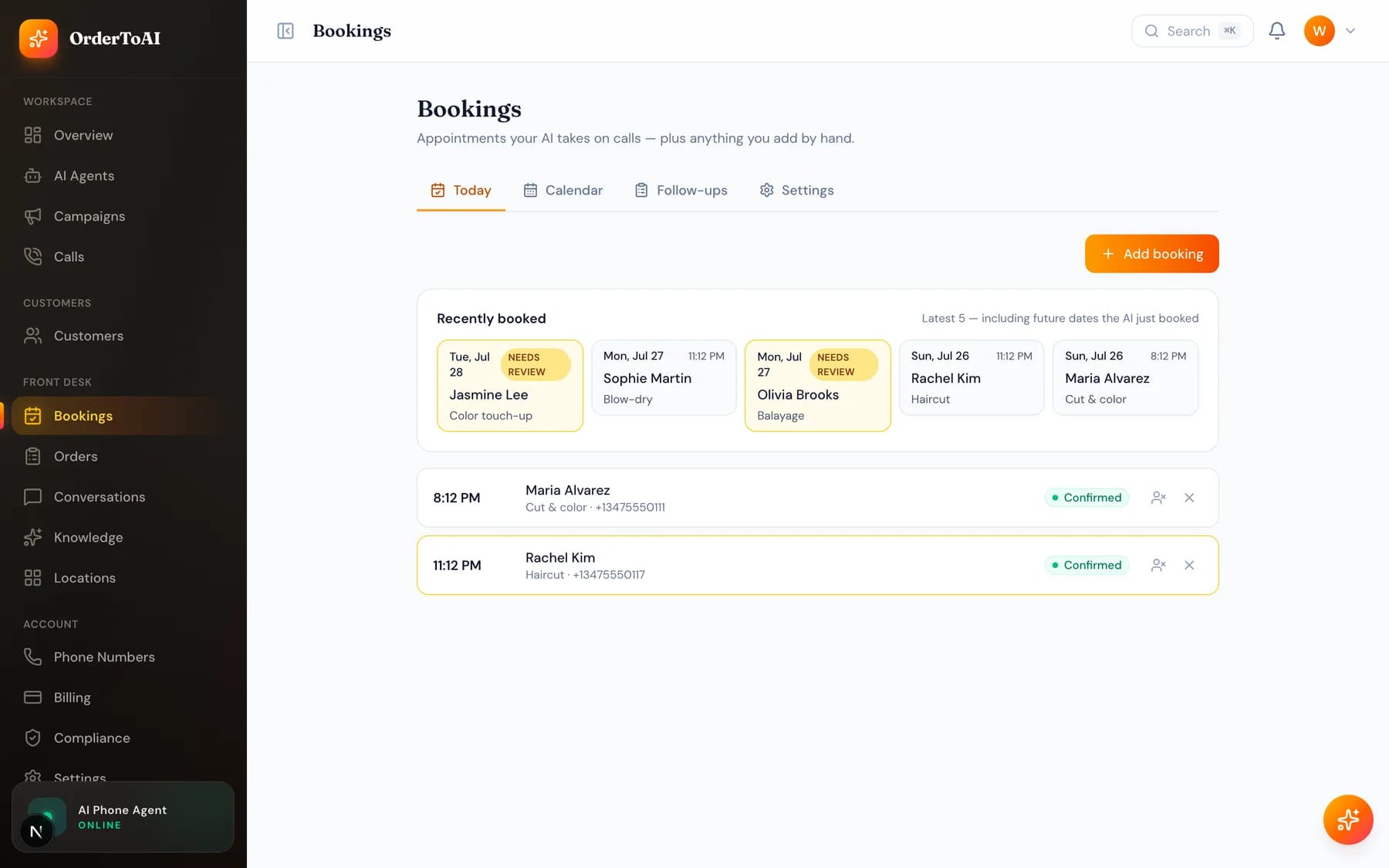
Front DeskBookings is where every appointment the AI makes appears, alongside anything you or your team add by hand. It is a working diary rather than a report: you can see what is coming, change or cancel an appointment, and see which call it came from. The important mechanism behind it is two way calendar sync. Appointments the AI books are written into your Google or Outlook calendar immediately, and anything you block out yourself becomes unavailable to the AI, which is what stops it from double booking you. There is also a confirmation step: the AI can call or text customers the day before to confirm they are still coming, and reschedule them in the same conversation if they are not, which is the single most effective thing here for reducing no-shows.
How double booking is prevented
The AI reads your real calendar availability at the moment it is offering times, not a copy of it. When it books, the appointment is written straight into your calendar. When you block time yourself, that block flows back and the AI stops offering it. Because the sync runs in both directions, the two views never drift apart.
Google and Outlook calendars connect with full two way sync. Cal.com and Calendly also connect, so an existing booking page keeps working alongside the phone.
Every booking links to its call
A booking made by the AI carries a link to the conversation that produced it. If a customer says they asked for something specific, you can read exactly what was agreed instead of relying on memory. Notes the AI captured during the call travel with the booking too.
Questions
- Which calendars does OrderToAI work with?
- Google Calendar and Outlook connect with real time two way sync, which is what prevents double bookings. Cal.com and Calendly also connect, so if your customers already book through one of those, that flow keeps working alongside phone bookings.
- Can the AI double book me?
- Not when your calendar is connected. It reads live availability when offering times and writes the booking back immediately, and anything you block yourself becomes unavailable to it. The protection depends on the calendar connection being in place, so check it if you see anything unexpected.
- What happens if a customer wants to cancel?
- They can do it on a confirmation call or text, and the AI frees the slot straight away. If they cancel by calling in, the AI handles that too. Either way the change is reflected in your calendar without anyone re-typing it.
- Do I need Front Desk for bookings?
- Yes. Booking is part of the inbound Front Desk plan, because it is the AI answering your phone and putting appointments in your diary. On Win-Back the page is visible but locked, with an upgrade link.
Next steps
Reservations
How the AI takes table reservations by phone, seats parties against your floor plan without double booking, and confirms bookings the day before.
Conversations
The shared text inbox where your AI replies to customers, how it books over SMS, when it hands over to you, and why messaging needs carrier registration.
How the AI answers a call
What actually happens when your AI picks up: where its answers come from, what it is allowed to do, when it transfers to a person, and what it will never do.
Hear it on your own business
Reading about it only goes so far. The demo calls you and answers as your business, using your real Google profile, before you create an account.
Start free trial