Customers
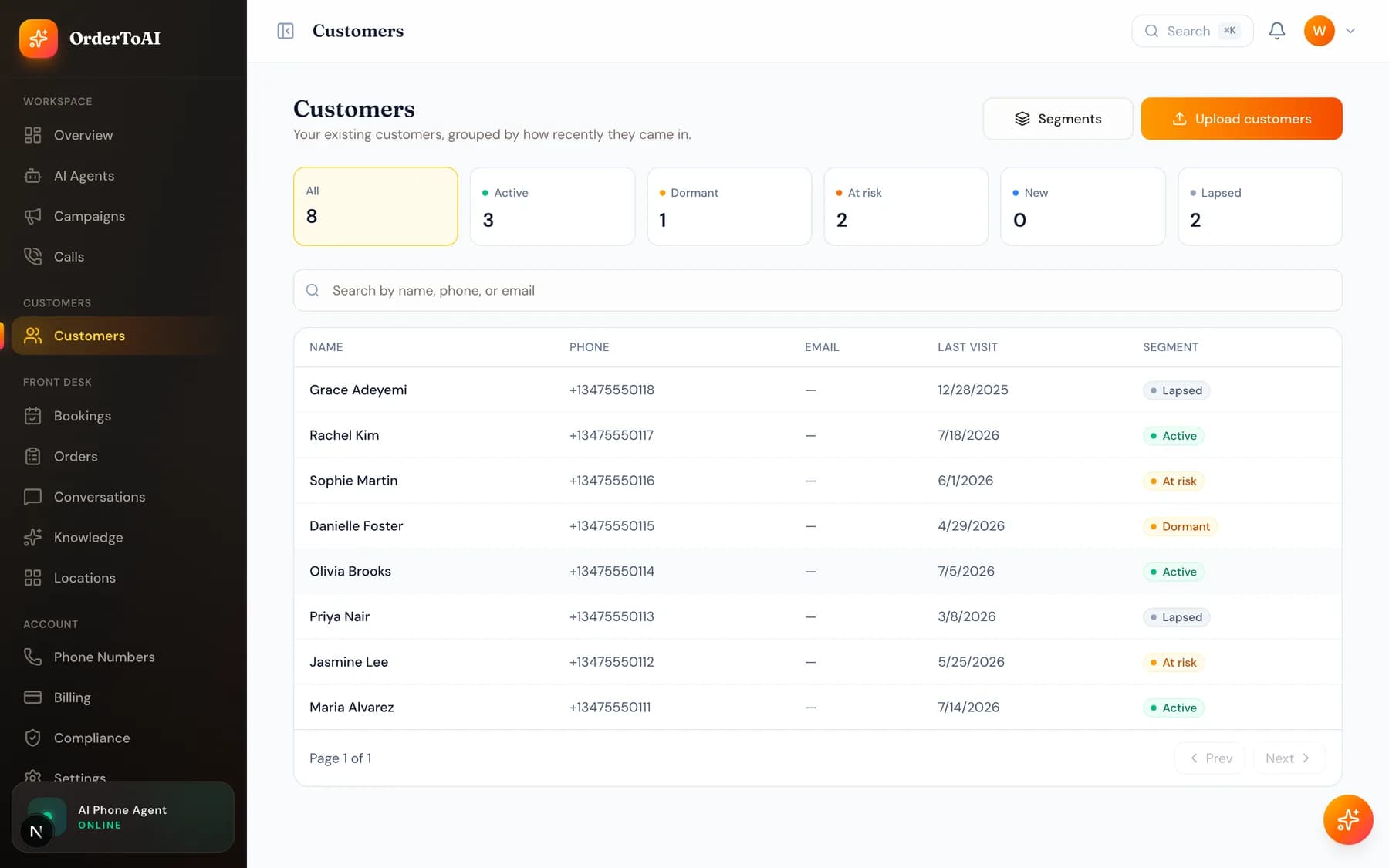
All plansCustomers is your own list: the people you already do business with. You import it once from a spreadsheet, and the AI column mapper reads your file and works out which column is a name, a phone number, or a last visit date, so you do not have to reformat anything first. Every row is checked as it imports, and anything that cannot be called is flagged with a reason rather than silently dropped. Importing is deliberately gated behind a confirmation that these are your own customers, because that relationship is what makes outbound calling lawful. Once imported, you can open any customer to see their full history with you, and group customers into segments such as lapsed regulars, which is what campaigns then call.
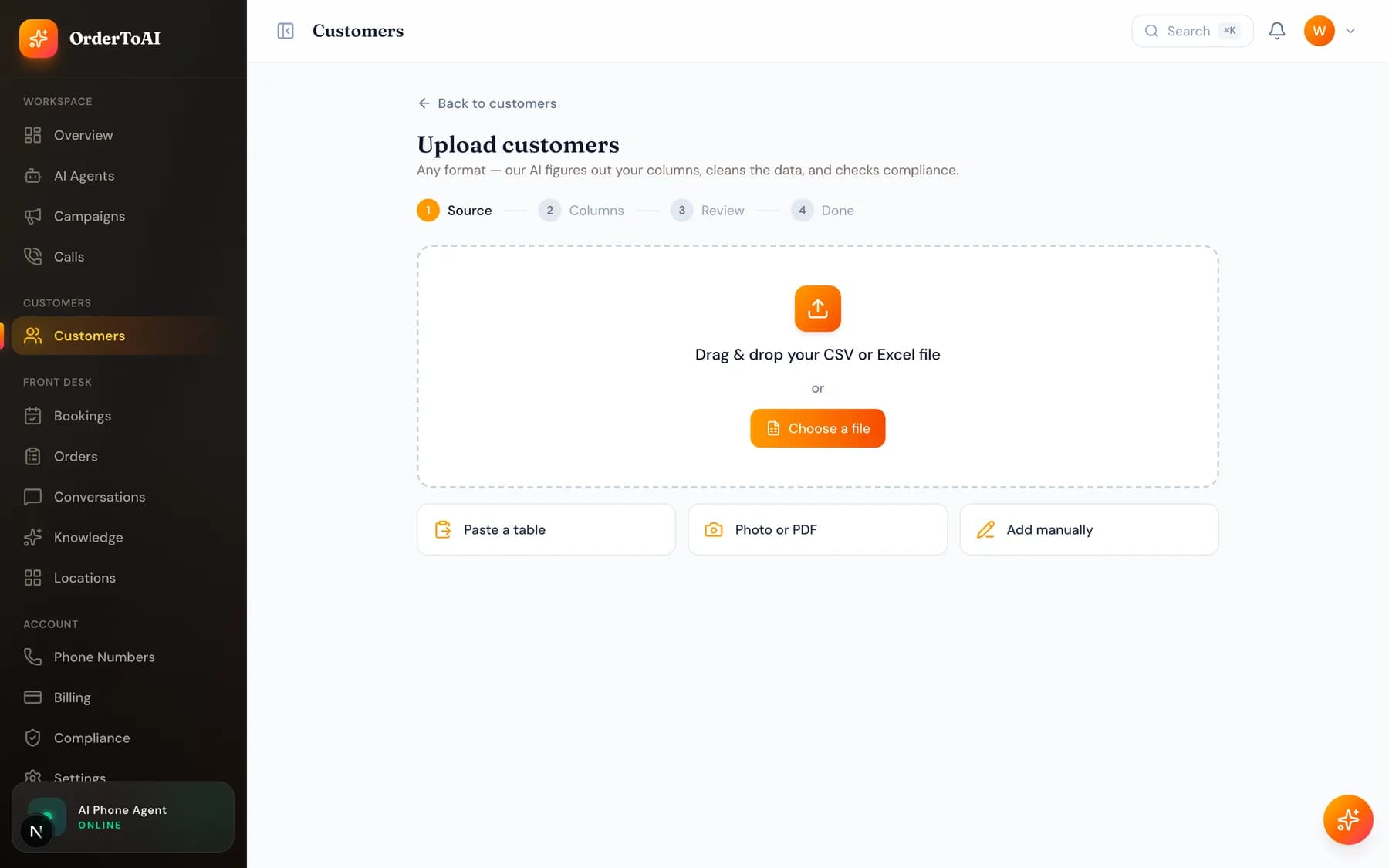
Importing your list
- 1
Upload the file you already have
A spreadsheet, a pasted table, or even a photo or PDF. You do not need to reformat it first. Files up to 25 MB are accepted.
- 2
Check the column mapping
The AI assigns your columns to fields such as name, phone, and last visit. Review the assignments, because it works from your headers and occasionally guesses wrong.
- 3
Read the preview
You see how many rows were found and how many are ready for outreach. The gap between the two is explained per row, which is the useful part.
- 4
Confirm and import
Tick the confirmation that these are your own customers, then import. Rows that are not callable still import; they are simply flagged rather than called.
Why "ready for outreach" is smaller than "found"
A customer can import perfectly and still not be callable. The usual reasons are that their last visit is too long ago to count as a current relationship, that they are inside the cooldown that applies to brand new customers, or that their number is on your Do-Not-Call list. Each flagged row tells you which applies.
This is deliberate. The contactable window is what keeps outbound calling on the right side of United States telemarketing rules, and it is enforced at import and again at the moment of dialling.
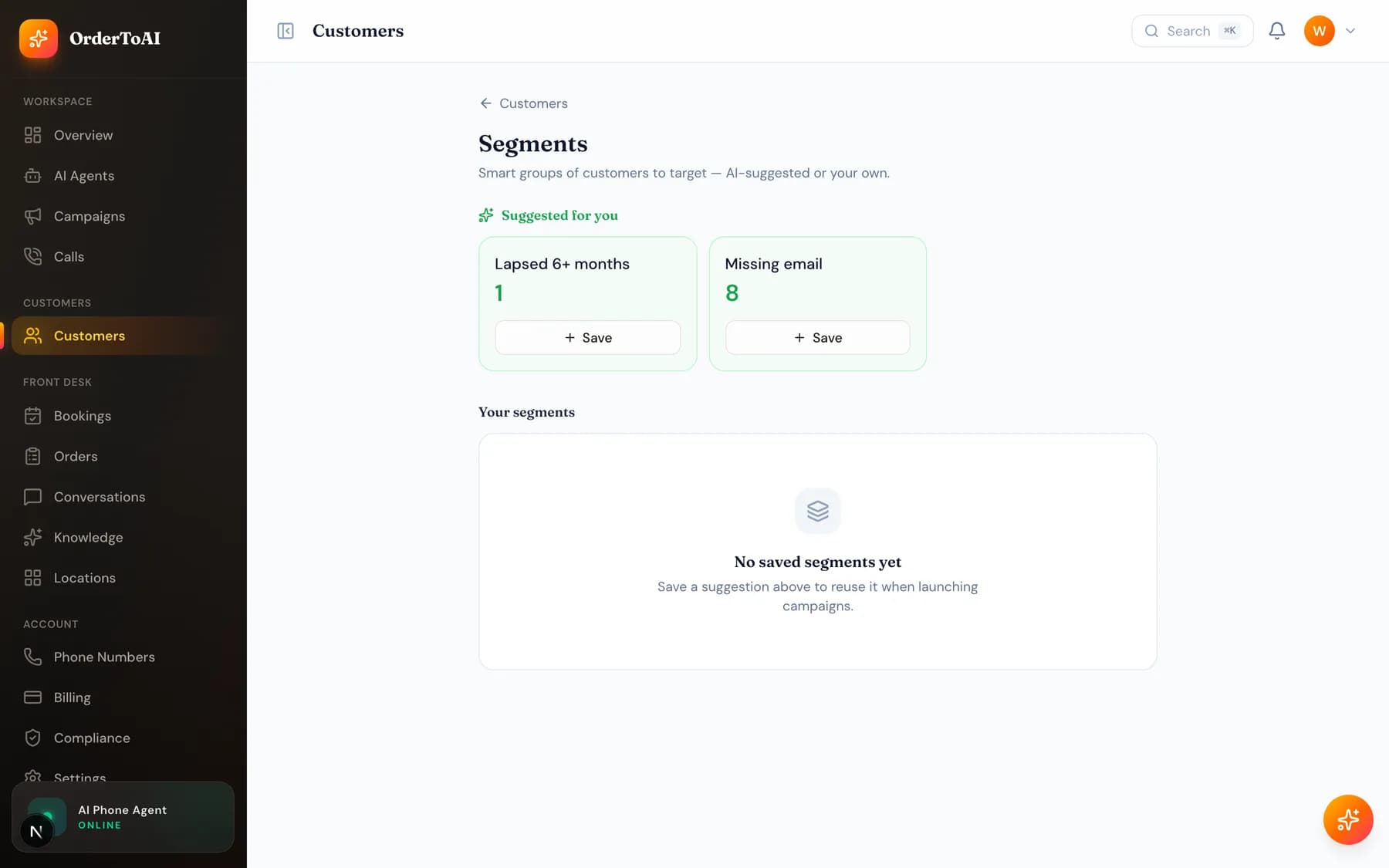
Segments
A segment is a saved group of customers, such as everyone who has not visited in three months. Campaigns target segments, so building a good segment once means every future campaign can reuse it. Segments update as your data does rather than being frozen at the moment you made them.
Questions
- What file formats can I import?
- Spreadsheets (CSV and Excel), pasted tables, and even photos or PDFs of a list, which are read by AI extraction. Files up to 25 MB are accepted. For Excel files, note that only the first sheet is read, so combine your data onto one sheet before uploading.
- Do I have to format my spreadsheet a particular way?
- No. The AI column mapper reads whatever headers you have and assigns them to the right fields, which is the whole point of it. You should still check its assignments in the preview, because unusual headers can be guessed wrong and each field can only be filled by one column.
- What happens if I upload the same list again?
- Existing customers are updated rather than duplicated. Re-uploads are deliberately one way on safety: they can raise a suppression but never lift one, and they never move a customer's last visit date backwards. So a re-upload can never accidentally make someone callable who should not be.
- Can I add one customer without a spreadsheet?
- Yes, there is an add manually option. Be aware it skips the compliance preview, so nothing warns you if that individual falls outside the contactable window. The dial time checks still apply, so an ineligible customer still will not be called.
Next steps
Campaigns
How to build and run an outbound win-back campaign: choosing who to call, what the AI says, your budget cap, and how to monitor and stop a running campaign.
Compliance
The controls that keep outbound calling lawful: your internal Do-Not-Call list, customer local calling hours, and the evidence trail behind every call.
Compliance basics for AI calling
A plain explanation of the rules behind AI calling in the United States: what an established business relationship is, what is not allowed, and what the platform enforces for you.
Hear it on your own business
Reading about it only goes so far. The demo calls you and answers as your business, using your real Google profile, before you create an account.
Start free trial