Settings
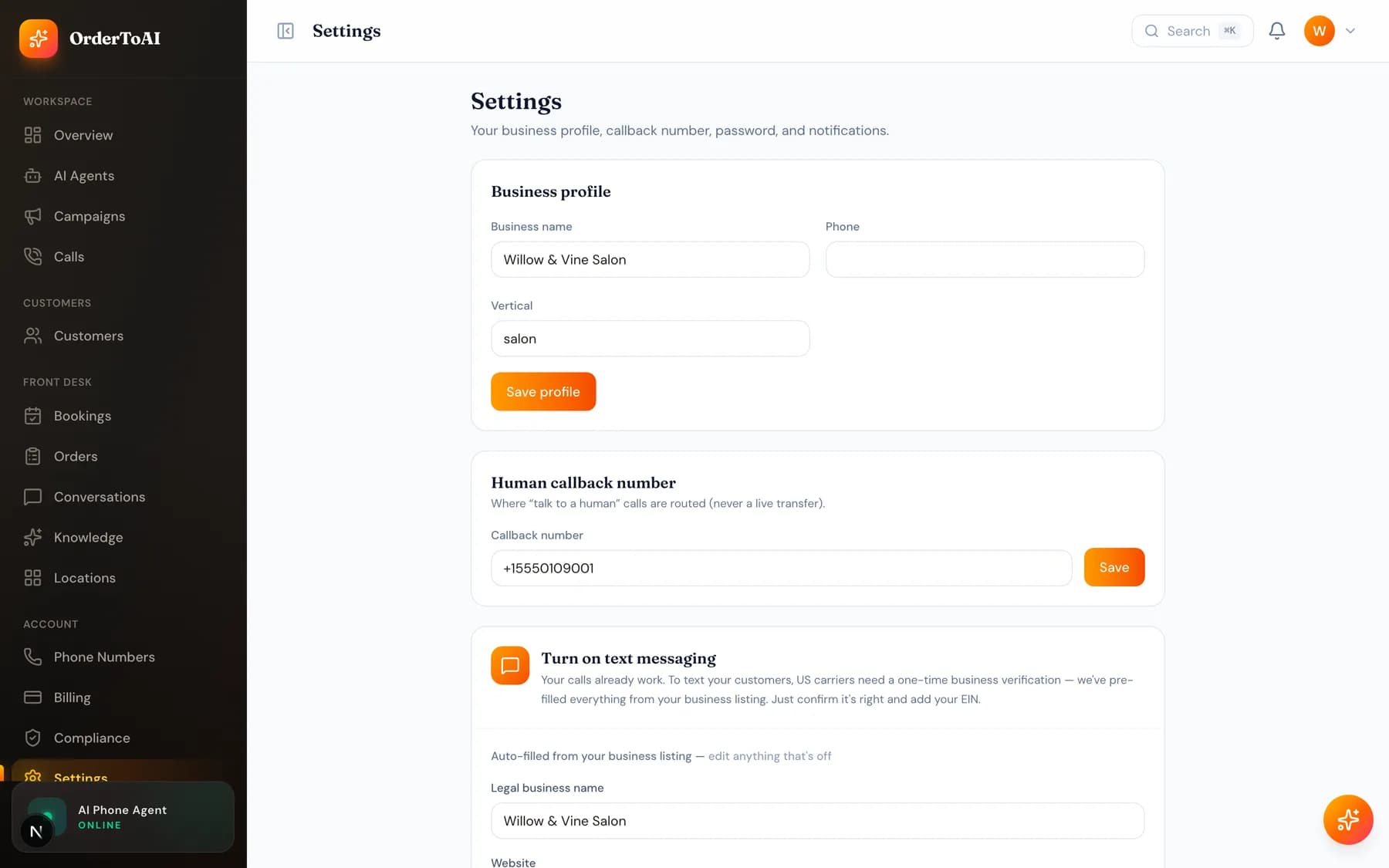
All plansSettings holds the account level configuration that is not about a single agent or location. The most operationally important field here is your transfer contact: the number the AI rings when a caller asks for a person. If that is wrong or missing, the one thing every caller is entitled to, reaching a human, does not work. Beyond that you manage your business details, your team, and account security. Staff can be added with roles that limit what they see, including a kitchen role that only reaches the order board and a reporting role that can look without changing anything, and staff can also be scoped to a single location. Role limits are enforced on the server rather than by hiding buttons, so a scoped member genuinely cannot reach another store's data.
Staff and roles
Team members can be given a role that matches what they actually do. A kitchen role sees the order board and nothing else. A reporting role can view without making changes. Managers can be scoped to a single location so they only see their own store.
These limits are enforced server side. A scoped member cannot reach another location's bookings, calls, or customers even by navigating directly to a link, which is what makes them safe to hand out.
Questions
- Where do I change the number the AI transfers calls to?
- Here, in your account settings. It defaults to the phone number on your account, and you should test it by calling your AI and asking for a person, since a wrong number here means the human handoff silently fails.
- Can I give my staff limited access?
- Yes. Roles limit what a member can see and do, including a kitchen role for the order board only and a reporting role that is read only. Staff can also be scoped to a single location, and those limits are enforced on the server rather than just hidden in the interface.
- How do I change my business hours?
- Hours live with your knowledge, per location, because they affect what the AI tells callers and when it books rather than being a display setting. Update them on the Knowledge page for the location concerned.
- How do I cancel my account?
- Cancellation is handled on the Billing page, in one click, and takes effect at the end of the period you have already paid for. Your data remains available to you until then.
Next steps
Billing
How OrderToAI charges: the monthly plan, per minute talk time, prepaid outbound credit, per location fees, and how to change or cancel your plan.
Locations
How multiple stores work: a number, agent, knowledge, hours, and menu per location, with one dashboard and a switcher that filters everything.
Knowledge
What your AI knows, where that knowledge comes from, and how to add hours, services, prices, and answers so it stops saying it does not know.
Hear it on your own business
Reading about it only goes so far. The demo calls you and answers as your business, using your real Google profile, before you create an account.
Start free trial