Calls
All plansThe Calls page is the complete history of every call your AI made or answered, with a written transcript of each one. No audio is recorded or stored, which means conversations are searchable rather than something you have to sit through. A filter bar across the top drives everything below it: headline numbers, an outcome breakdown, and the call table itself, so narrowing to last week or to inbound calls updates the whole page at once. Opening a call shows the full back and forth between the AI and the caller, a summary, what the outcome was, and any booking or order that came out of it. This is the page to read after your first test calls, because anything the AI answered weakly points at a gap in your knowledge that takes a minute to fix.
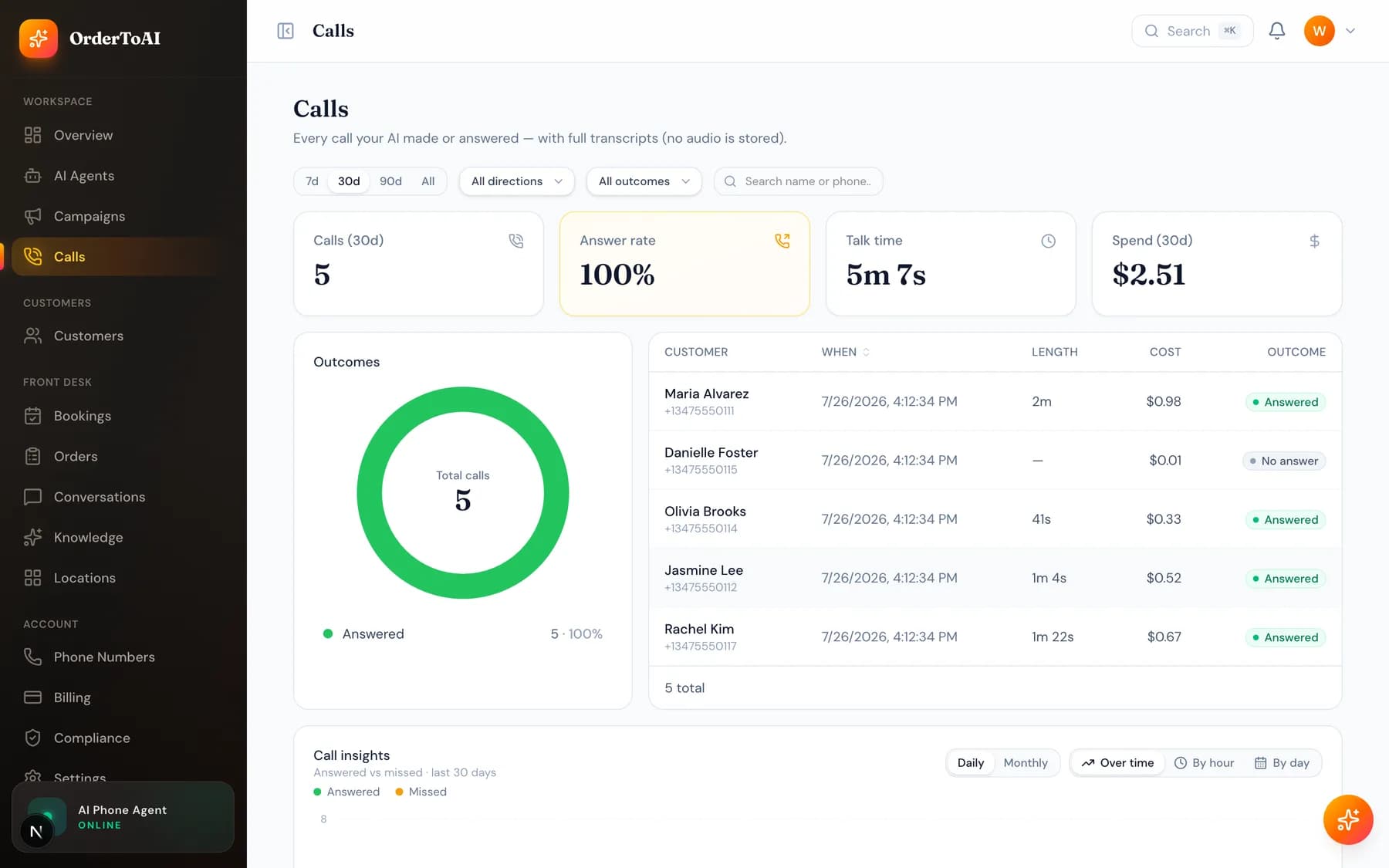
What you can see per call
| Field | What it tells you |
|---|---|
| Direction | Whether the AI answered an inbound call or placed an outbound one. |
| Status | How the call ended, including whether it was answered, missed, or transferred to a person. |
| Duration | Talk time, which is also what the call is billed on. |
| Outcome | What actually happened: a booking, an order, a callback request, an opt-out, or simply a question answered. |
| Transcript | The full written conversation, both sides, in order. |
| Summary | A short read of what the caller wanted and what was done about it. |
Why there is no audio
Calls are transcript-only by design. Storing recordings of customer conversations creates a sensitive archive that has to be secured, retained, and eventually disclosed, and it is far harder to search. A written transcript gives you everything that was said, is instantly searchable, and keeps your customers' voices out of a database.
Questions
- Can I listen to a recording of a call?
- No. OrderToAI never records or stores call audio. Every call is kept as a full written transcript with a summary instead, which is searchable and avoids holding an archive of customer voice recordings.
- How quickly does a call appear here?
- Within a few seconds of the call ending. If you have just hung up on a test call and do not see it, refresh the page; transcripts are written once the call has fully completed on both sides.
- What does a transferred call look like?
- It shows as a call that was handed to a person, with the transcript of everything the AI discussed before the handoff. That context is the point: whoever picks up can see what the caller already explained rather than starting over.
- Why is a call shorter than the conversation felt?
- Duration is talk time on the call itself, which is also what you are billed for. Ringing time before the call connects is not talk time and is not billed.
Next steps
AI Agents
The full reference for the AI Agents page and the agent editor: identity, voice, behavior, brain, skills, conversation timing, knowledge, upselling, and advanced.
Knowledge
What your AI knows, where that knowledge comes from, and how to add hours, services, prices, and answers so it stops saying it does not know.
Your first call
How to test your AI before customers reach it, what a good first call sounds like, and how to read the transcript afterwards to fix what it got wrong.
Hear it on your own business
Reading about it only goes so far. The demo calls you and answers as your business, using your real Google profile, before you create an account.
Start free trial